

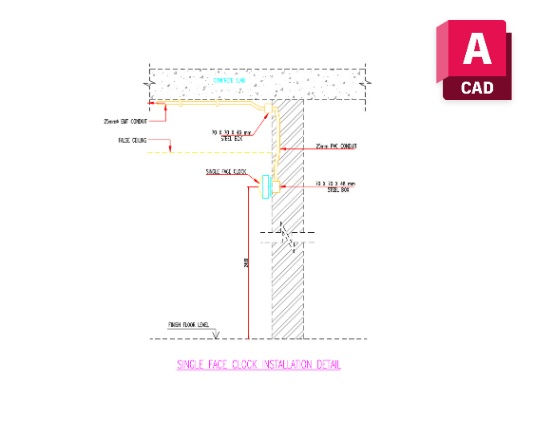
Single Face Clock Installation Detail Dwg
Single Face Clock Installation Detail Dwg is a practical CAD resource for documenting a single-face clock within architectural detail drawings. It can be useful when a project requires a clearer representation of clock installation rather than only a basic plan symbol. Architects, drafting professionals, and interior designers can incorporate the block into appropriate AutoCAD details, elevations, and coordinated documentation.
Clock Installation Detail
The block can help communicate the position of a single-face clock in relation to surrounding architectural elements. It may be used in wall elevations, interior details, equipment documentation, or other drawings where the clock needs to be clearly identified. A prepared graphic can make detailed drafting more efficient and consistent.
AutoCAD Documentation
Designers can insert, copy, and arrange the block according to project requirements. It can be coordinated with walls, finishes, interior components, and other information shown in the detail. When similar clock conditions occur in multiple locations, a reusable CAD element can reduce repetitive drafting work. Related resources such as Double Face Slave Clock may also support projects containing different clock configurations.
Download the DWG Block
Download the Single Face Clock Installation Detail Dwg CAD block for your architectural drafting library. Place it in the relevant detail or elevation and coordinate it with the project’s design information for clear and organized documentation.


1 thought on “Single Face Clock Installation Detail Dwg Free”
Pingback: Double Face Clock Installation Detail Dwg Free - PinCad