

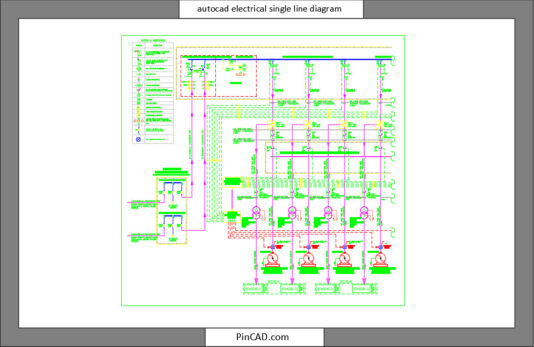
AutoCAD Electrical Single Line Diagram (SLD) Free DWG Download
AutoCAD Electrical Single Line Diagram is one of the most essential drawings in any electrical project, and this free DWG file makes your workflow smoother, faster, and far more accurate. Whether you’re creating an autocad electrical one line diagram, preparing an electrical single line diagram in AutoCAD, or studying how a professional electrical SLD drawing in AutoCAD should look, this ready-made block will save you hours of work. It’s clean, readable, and built to fit almost any project—making it the perfect reference for engineers, architects, designers, and students who want a reliable starting point.
And if you’re working on full electrical documentation, make sure to also check out our Electrical Legend & Abbreviations CAD Block for better clarity and consistency across all your drawings.
📦 What You’ll Get
Inside this DWG file, you’ll find a complete one line diagram AutoCAD electrical layout designed with professional precision.
Here’s what’s included:
-
A clean, well-structured AutoCAD electrical single line diagram sample
-
Clear representation of distribution boards, feeders, transformers, breakers, MCCs, and protective devices
-
Standard electrical symbols used in SLD drawings
-
Single-line representation of power flow from source to load
-
Organized layers with proper naming for better control
-
Scalable elements suitable for A3, A2, and A1 drawing sheets
-
Professionally drawn, 100% modifiable components
-
All text styles, line weights, and symbols optimized for readability
Every component is perfectly aligned to ensure your drawing stays neat and accurate, even when you modify it for different projects.
🎯 Who Can Benefit
This free DWG block is designed for:
-
Electrical Engineers who need fast, accurate SLD templates
-
Architects working on MEP coordination drawings
-
BIM & CAD professionals building electrical models
-
Students learning how an electrical single-line diagram is structured
-
Freelancers who want ready-made symbols to speed up their workflow
-
Draftsmen preparing commercial, residential, or industrial SLDs
If you want to improve drawing quality while reducing drafting time, this SLD block is exactly what you need.
💡 Why Choose This DWG Block
What makes this AutoCAD Electrical Single Line Diagram better than others?
-
Professional accuracy: Built using real project standards
-
Perfectly clean layers: No messy or duplicated objects
-
Fast editing: Modify components instantly
-
Universal compatibility: Works with AutoCAD, BricsCAD, DraftSight, and any DWG-supported software
-
Industry-standard structure: Ideal for teaching, learning, or real project submissions
-
Saves time: No need to redraw symbols or structure from scratch
-
Improves consistency: Keeps your entire drawing set uniform
This block gives you a strong foundation for developing complete electrical documentation.
👉 Ready to Boost Your Productivity?
Download this free DWG now and make your next electrical single line diagram in AutoCAD faster, clearer, and far more professional.
Start building your project with confidence—click the download button and get started today!
❓ FAQs
1. What is included in this AutoCAD Electrical Single Line Diagram DWG file?
It includes a complete SLD layout with symbols, feeders, panels, and clean layers ready for modification.
2. Can I use this AutoCAD electrical one line diagram for commercial projects?
Yes! The DWG file is fully editable and suitable for professional, academic, or commercial electrical drawings.