
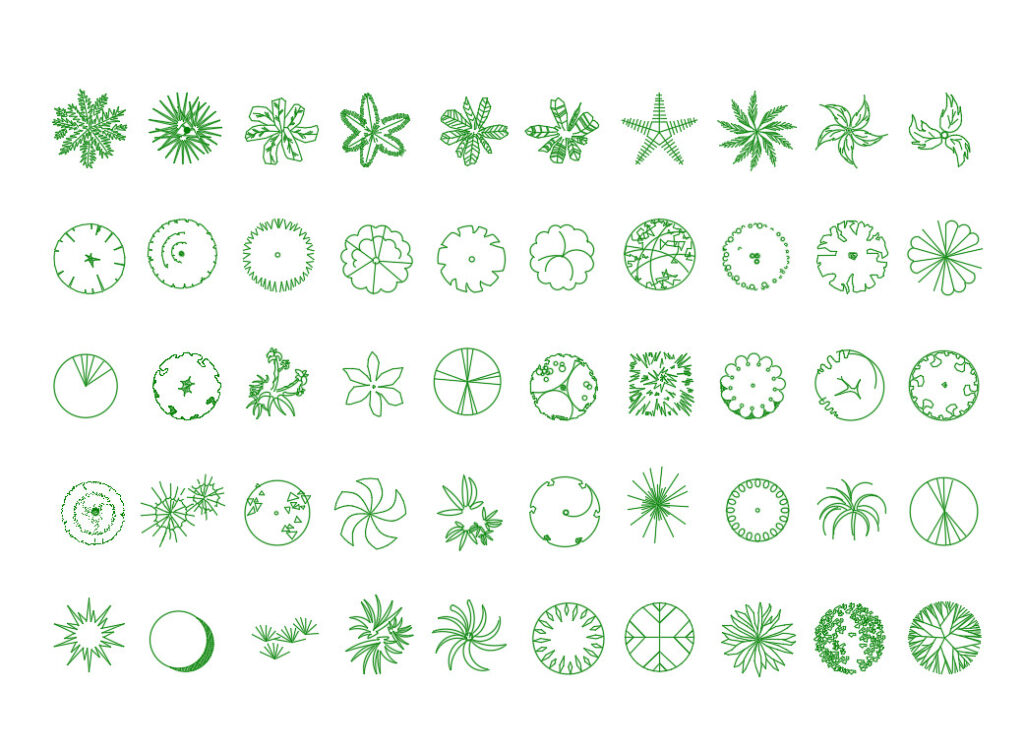
Tree CAD Block DWG Free Download for AutoCAD
Tree cad block is a useful CAD resource for adding clear and professional tree symbols to architectural drawings, landscape plans, site layouts, and other design projects. This free DWG block is designed to make your drawings more complete without spending extra time creating tree graphics from scratch.
Instead of drawing individual trees manually, you can download the block and place it directly into your CAD project. It is especially useful when preparing site plans, garden layouts, residential plans, commercial projects, landscape drawings, and presentation drawings where trees help communicate the surrounding environment.
Easy to use in your CAD workflow
The DWG format makes this resource convenient for AutoCAD users and other DWG-compatible CAD software. You can insert, copy, move, rotate, and adjust the block according to the requirements of your drawing. The geometry can also be positioned alongside buildings, roads, walkways, parking areas, gardens, and other site elements.
For designers who regularly prepare multiple drawings, using ready-made CAD blocks can significantly reduce repetitive drafting work. A prepared tree symbol gives you a quick starting point while helping maintain a consistent appearance throughout the drawing set.
Useful for different project types
This tree cad block can be used in architectural site plans, landscape design, urban layouts, residential developments, garden plans, parks, campus drawings, and presentation sheets. Architects and landscape designers can use it to show vegetation around proposed buildings, while students can add realistic-looking site elements to academic projects without creating every symbol manually.
If you are building a larger collection of landscape-related CAD resources, you may also find our Tree Top View DWG useful for adding another tree representation to your drawings.
Save drafting time and improve drawing quality
Ready-made CAD blocks are valuable because they reduce unnecessary drawing steps. Rather than repeatedly constructing similar tree symbols, you can insert the block where required and continue working on the important parts of your project. This can help improve workflow speed, maintain drawing consistency, and reduce small drafting errors caused by creating symbols manually.
The clean DWG format also makes the block practical for everyday CAD work. Whether you are preparing a detailed site plan or a simple architectural layout, having reusable blocks available can make your drawing process faster and more organized.
Download the free tree cad block today and add a ready-to-use tree element to your AutoCAD project. Get the DWG file, insert it into your drawing, and save valuable drafting time.